Note X · Field notes
Primitives, not a method: how I run Maestro
Maestro gives you parts, not a process: agents, groups, tabs, Auto Run, Cue, Group Chat and a CLI your agents can drive. No two users put them together the same way, and that is by design. These are the habits I use, as the person who started Maestro. Take what fits.

In a recent comment thread someone asked how I use Maestro day to day. I wrote five tips, typed “(to be continued)”, and ran out of room. This is the rest.
Before the tips, one point matters more than any of them.
Maestro has no opinion about how you work
Maestro is a set of primitives. An agent is a working directory and a provider. A group holds agents. A tab holds a conversation. Auto Run executes a checklist. Cue fires an action when something happens. Group Chat hands a goal to a moderator. maestro-cli exposes all of it to scripts and to the agents themselves.
None of these parts assumes a workflow. Maestro does not lock you to one harness or one provider: Claude Code, Codex, OpenCode and others run side by side, and each agent can use its own account. You can wire the parts into a software factory that turns bug reports into reviewed pull requests. You can wire the same parts into a pipeline that files your voice memos as dated notes. Maestro does not prefer one over the other.
So users differ, a lot. One person lives in a single agent’s chat all day. Another writes playbooks and almost never chats. Another builds Cue pipelines so agents work through the night. All three are correct. We do not force a method on you, and we do not plan to.
What follows is my method. It is one way, not the way. For scale, my fleet today:
| What | Count |
|---|---|
| Agents | 116, in 19 groups |
| Providers | 3: Claude Code, Codex, OpenCode |
| Cue subscriptions | 234, on 27 agents |
| Auto Run playbooks written | about 280, most since deleted |
How I build something
Most of my projects move through the same stages. Each stage uses a different primitive, and I go back a stage when the work calls for it.
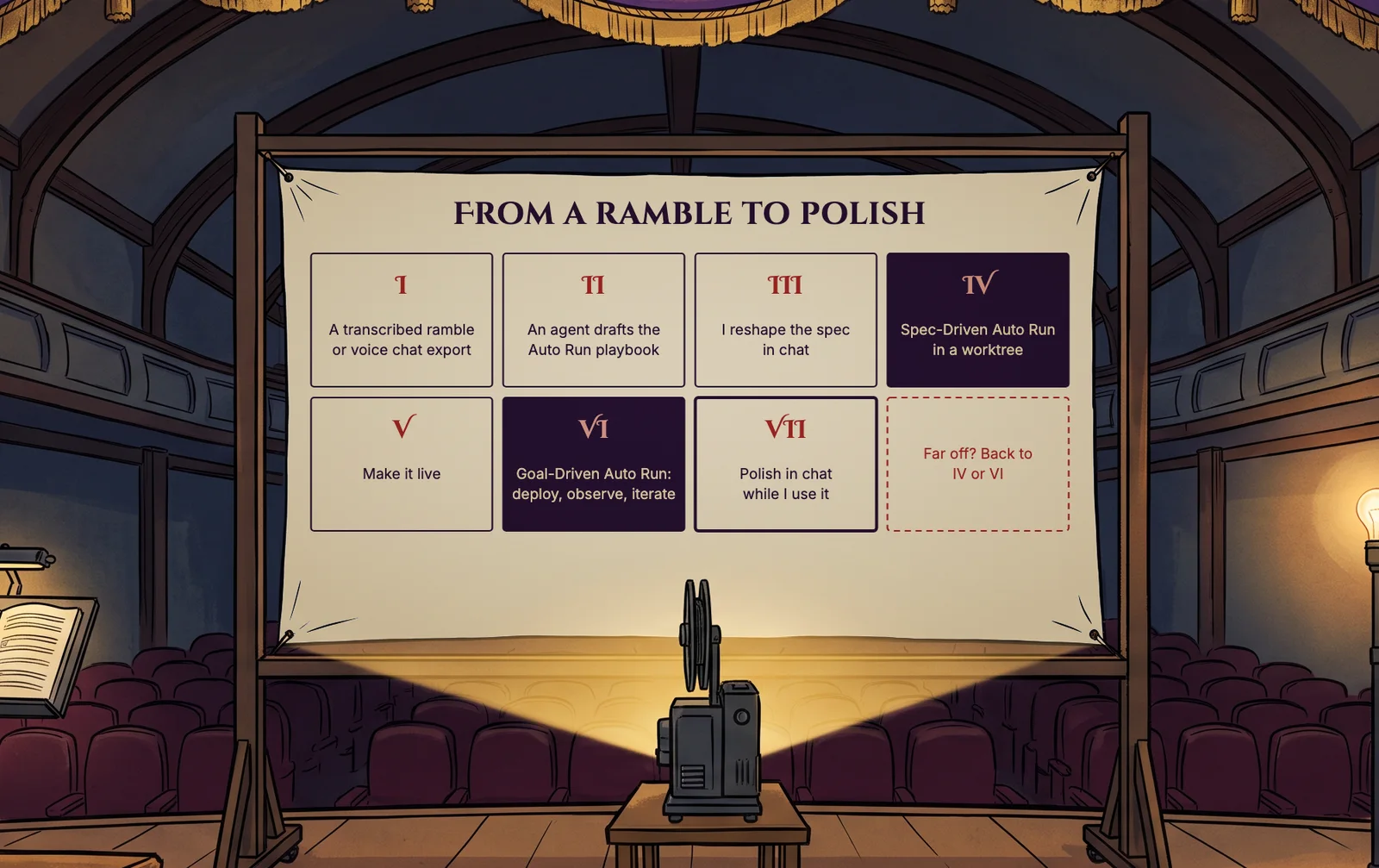
- Ramble. It starts with a transcript of me talking through the idea, with no structure at all. Sometimes it is a voice conversation with ChatGPT that I export instead. Either way, it is raw material, not a spec.
- Spec. I give the transcript to an agent in Maestro and ask it to write an Auto Run playbook. Then I review the playbook and make sweeping changes to it through continued chat in the same tab. The playbook is the spec.
- Build. When the spec looks right, I execute it as a Spec-Driven Auto Run, which works through the checklist one task at a time. I often send the run to its own worktree, so several runs can work in parallel without touching my main checkout.
- Go live. When the run finishes, I make the system live in some form: deployed, running, in use.
- Converge. Then I switch to a Goal-Driven Auto Run. I give it a goal and the exit criteria, and it iterates until it gets there. This works only when the agent can deploy, observe, iterate and repeat on its own. Give it the command that deploys, the logs and pages that show the result, and the tests that judge it. An agent that cannot see the effect of its change is guessing.
- Polish. Last, I use the software myself and ask for changes in interactive chat as I find them. I call this “applying polish”.
If the work is far from what I want, polish will not get it there. I go back to a Goal-Driven run, or write a new spec and start a Spec-Driven run again.
Ten practices
1. Have one primary agent
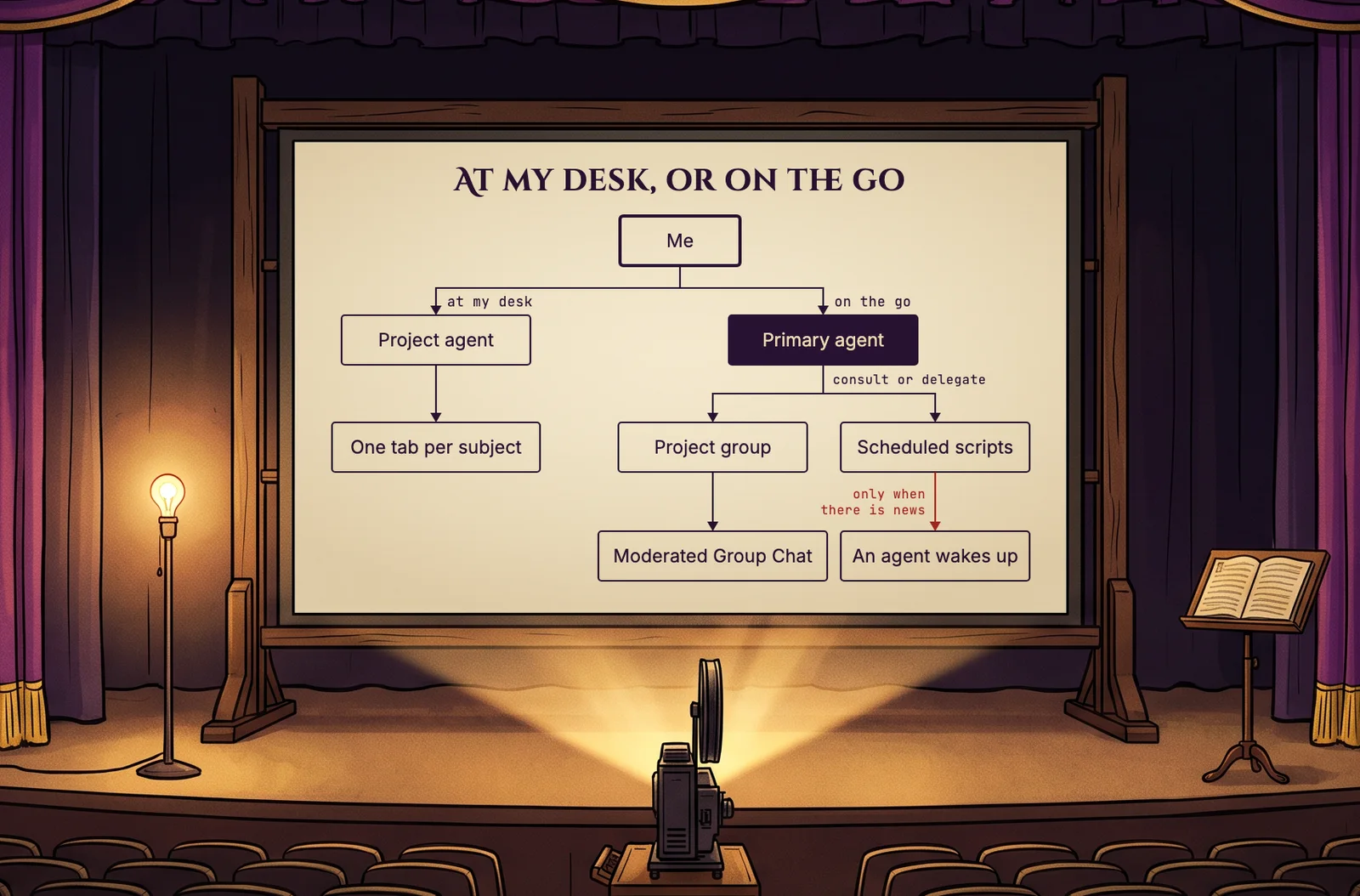
Mine is called Pedsidian. It lives on top of my Obsidian vault. It has the most agency of any agent: it can reach my personal accounts, and it can consult or hand work to the other agents. It is also the agent I send text messages to (the @maestro message bus explains how).
The primary agent does not replace the others. At my desk I open the project agent and work with it directly. The primary agent does the dispatching when I am on the go: I send it a text message, and it consults or hands the work to the agent that owns it. It is also my front door when I do not know which agent owns something.
2. Create an agent per major project
One project, one agent, one working directory. When a project needs several agents (for example one per branch, or one per role), make a group for the project and put the agents in it.
3. One subject, one tab
This is the most important habit on the list. Every issue, bug and idea gets a new tab. Create tabs freely and close them freely. A closed tab is not lost: you can search and reopen it later.
A tab that holds one subject keeps the agent’s context clean. A tab that holds five subjects makes the agent mix them up, and it makes the tab impossible to find again.
4. Speak to your agents freely
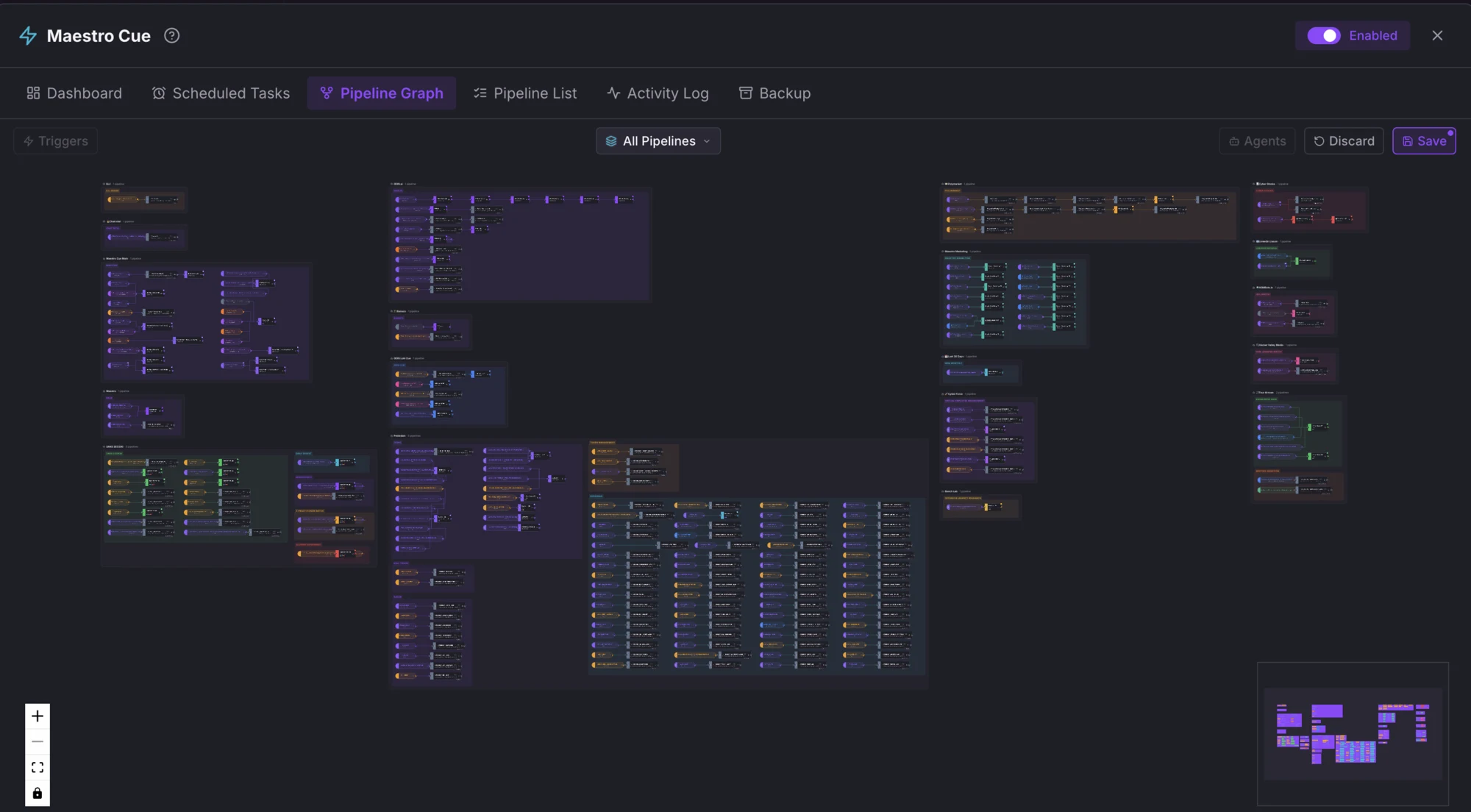
Every agent in Maestro knows maestro-cli. Anything you can do with point and click, your agents can also do. Cue has a good visual editor, but I no longer use it. I tell an agent what should happen and when, and the agent writes its own trigger pipeline. That is how I got the circuit-board view of every pipeline across all my agents: I did not draw it, my agents built it one request at a time.
5. Mentions for one answer, Group Chat for a goal
You can @-mention another agent in any chat, and you can define which agents may consult or delegate to which. Use this to pass information between agents. A mention is single-turn: the other agent answers once and stops.
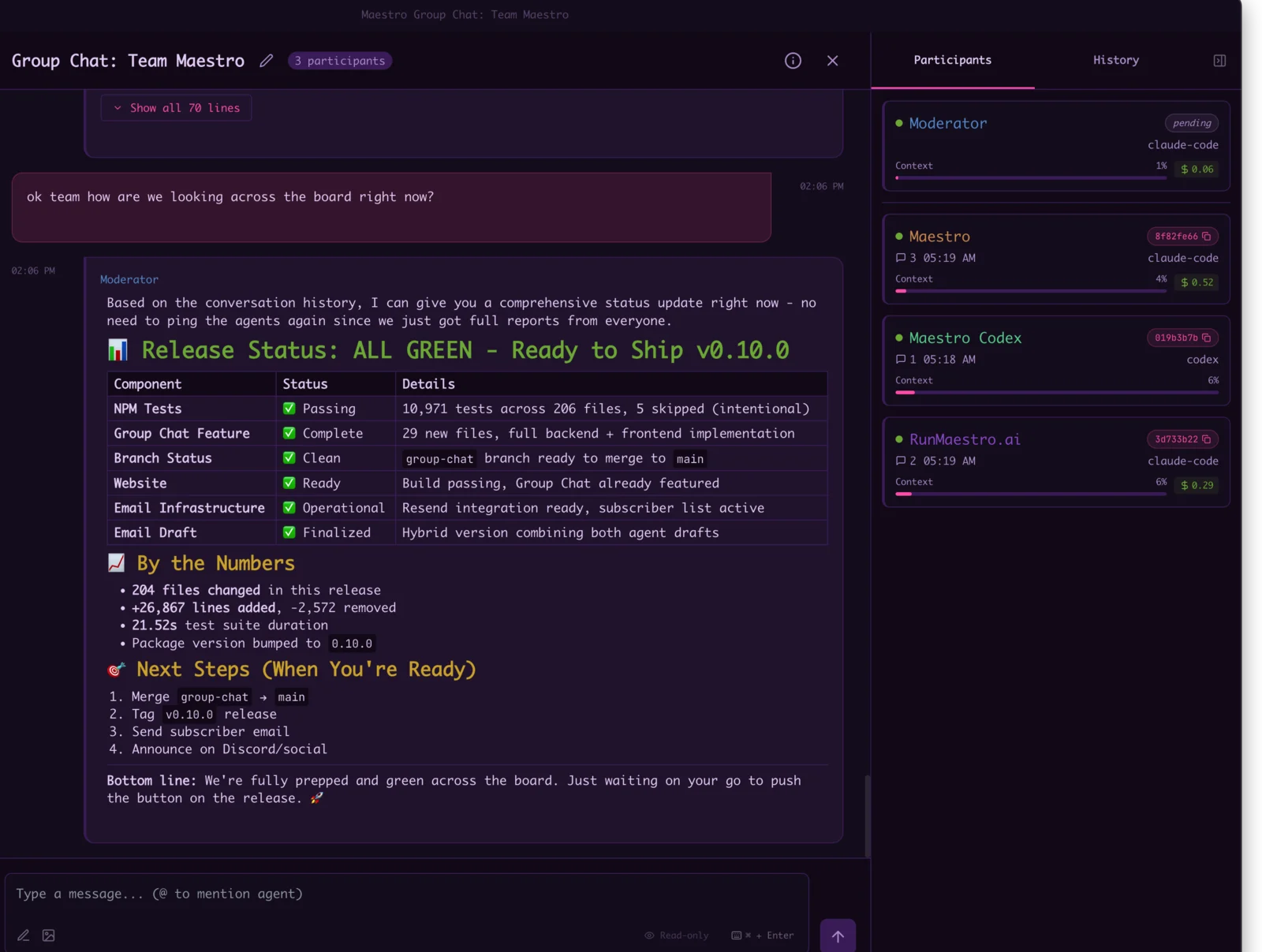
When you want several agents to work on one goal, use Group Chat. A moderator agent acts for you. It sends work to the participants, checks what comes back, pushes again when an answer is weak, and keeps going until the job is done.
6. Write a job description for every agent
Routing works only when each agent says what it owns. In each agent’s instruction file (CLAUDE.md, AGENTS.md or your provider’s equivalent) I write four lines:
- Owns: what this agent is responsible for.
- Consult for: questions it can answer.
- Delegate: work it should take.
- Not for: what belongs to a different agent.
The “Not for” line does the most work. Without it, two agents both claim the same request, and the primary agent guesses.
7. Let scripts poll and let agents think
Of the 87 Cue subscriptions on my primary agent, 80 run a shell command, not a prompt. Some fire every minute. That costs nothing, because no model runs. The script checks for new messages, new files or a changed calendar, and it wakes an agent only when it finds something to think about.
A prompt on a one-minute timer spends tokens to learn that nothing happened. A script on the same timer spends nothing.
I say it the same way every time:
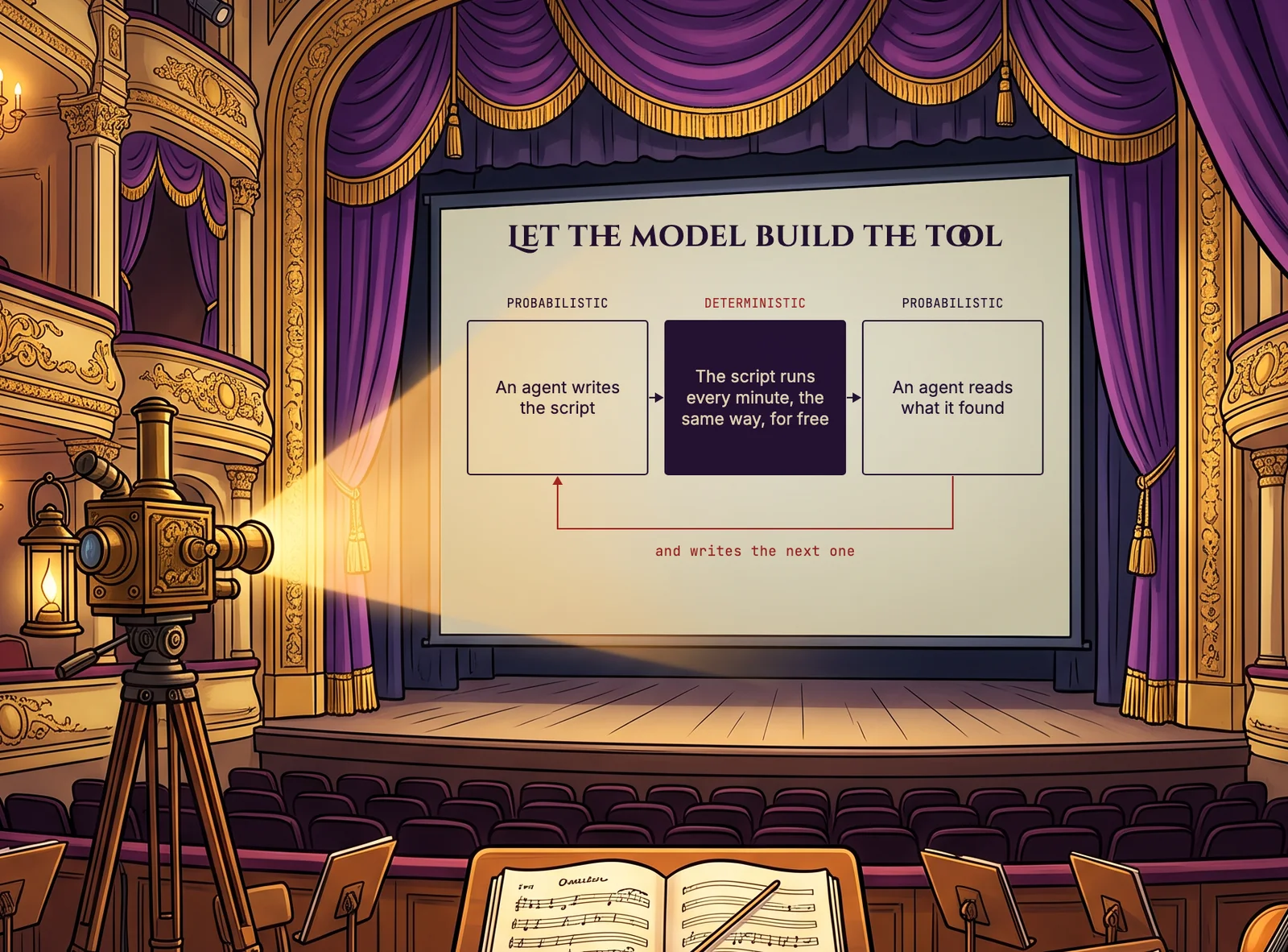
Let the probabilistic generate the deterministic, to then feed back into the probabilistic.
I did not write those 80 scripts by hand. An agent wrote each one. The script then does the same job the same way on every run, for free. When it finds something, its output goes back to an agent, which does the part that needs judgment. I use this pattern everywhere: let the model build the tool, let the tool do the repetitive work, and let the model read the result. Graph engineering when the graph never sleeps goes deeper on this.
8. Watch the watchers
Pipelines break at night, and nobody is looking. So some of my pipelines exist only to check the others:
| Check | Runs | Does |
|---|---|---|
| Self-heal | hourly | Finds a job whose output never landed and runs it again. Tells me only if that fails. |
| Pipeline health | daily | Confirms each scheduled job ran and produced fresh output. |
| Auth health | daily | Finds an expired login and raises a red alert in Maestro before a pipeline needs it. |
The self-heal check came from a lesson: an alert alone still leaves the work to me. A weekly job that fails has no next attempt for seven days, so the check runs it again as soon as the cause has cleared.
9. Snooze a tab with a wake prompt
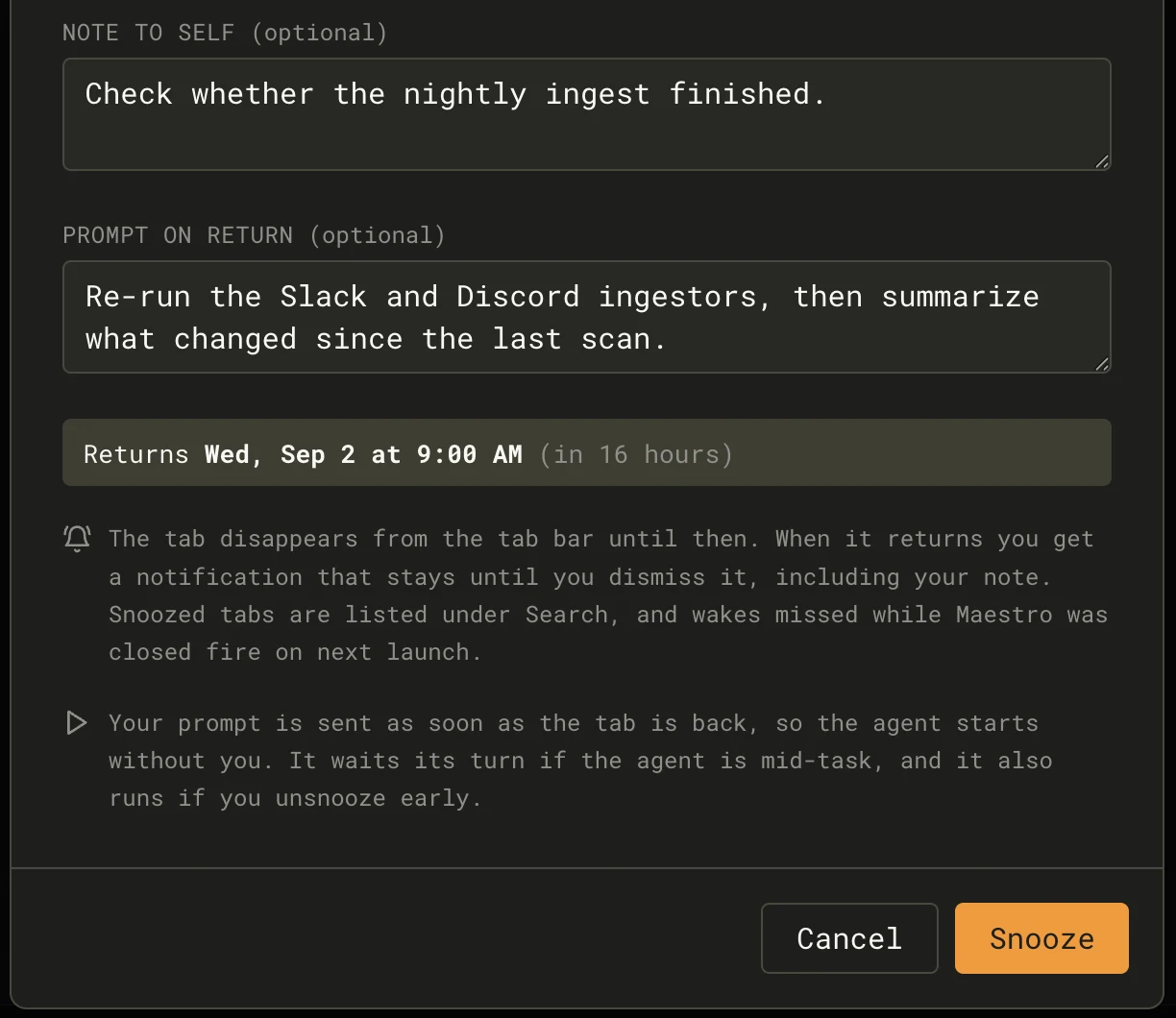
When a subject must wait (a reply from someone, a deadline next month), I do not leave the tab open to remind me. I snooze it to a date and fill in the wake prompt: what the agent must do when the tab comes back. On the date, the tab returns and the agent starts on that prompt with the full conversation behind it.
This is what makes practice 3 work. Closing or snoozing a tab costs nothing when the tab can bring itself back.
10. Use the best model for the job, not one vendor for everything
In Maestro every agent has its own provider and model, so I choose for the work in front of it, not out of loyalty to one vendor. Today 94 of my agents run Claude Code, 19 run Codex, and 3 run OpenCode.
OpenCode is how I run local models. It sits in front of Ollama, so an agent can use any model Ollama serves. For cyber security work I like DeepSeek 4.1 Flash there: it refuses far less often than the hosted models when the task is offensive security research.
No lock-in also means no single point of failure. When one subscription runs low, agents move to an account with room (balancing a fleet across several accounts shows how), and one vendor’s limits or outages never stop the whole fleet.
Bonus: set an Ideal End State, then read Director’s Notes
Director’s Notes collects the history of every agent into one place, and its AI Overview writes a synopsis of the window you choose: what got done, what got stuck, what comes next. Across many agents, it is the fastest way to see where the fleet went.
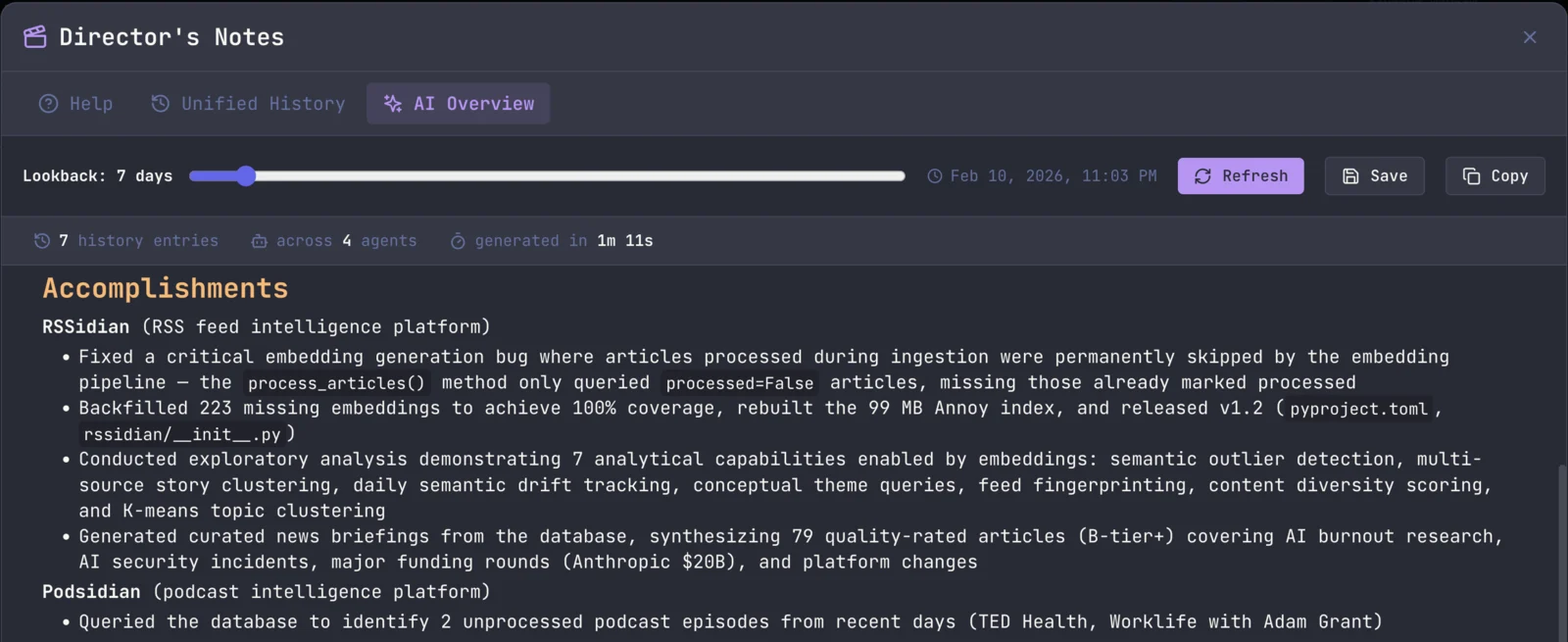
It gets much better when you tell it where you want the fleet to go. In Settings > Plugins, under Director’s Notes, fill in the Ideal End State (hat tip to Daniel Miessler, who gave me the term): the projects in flight, which agents belong to each, and what finished looks like. With that set, the synopsis reads the named projects first and in the most depth, frames its next steps around your target, and adds a fourth section, Progress Toward Ideal End State. That section shows what moved closer, what looks finished, where work drifts from the target, and which projects saw no activity at all.
Pro tip: let Cue read it for you. The synopsis is also available from maestro-cli, so a Cue pipeline can generate it on a schedule. Mine runs every Friday at 17:30 and saves the week’s notes as a dated file. At 18:00 a second subscription hands those notes to an agent, together with my meeting notes and messages, and the agent writes a week in review: what got done and what needs to happen next week.
You can take it one step further and let the agent act on the Progress section, not only report it. For each project that saw no activity, it can add a task to that project’s Auto Run document or dispatch a prompt to the agent that owns it. For each item that looks finished, it can ask the owner to confirm and close it out. By Monday, the stalled work is already moving again.
Take what fits
None of these habits is a rule that Maestro enforces, and that is deliberate. If your way of working is different, Maestro should support it, and if it does not, tell us. The primitives are there to fit how you think.